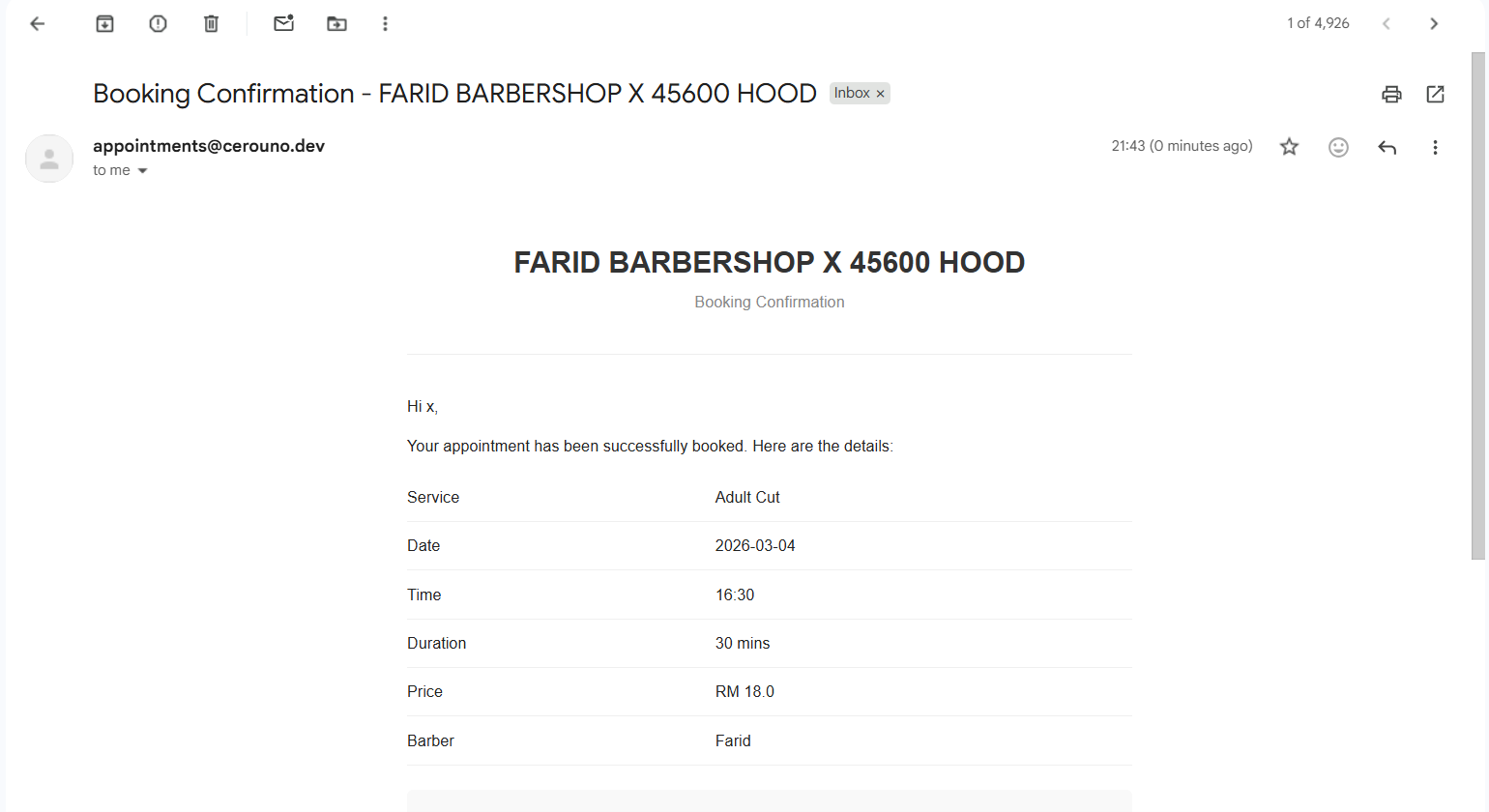
How to Book service
Step by step guide on how customer can book your service
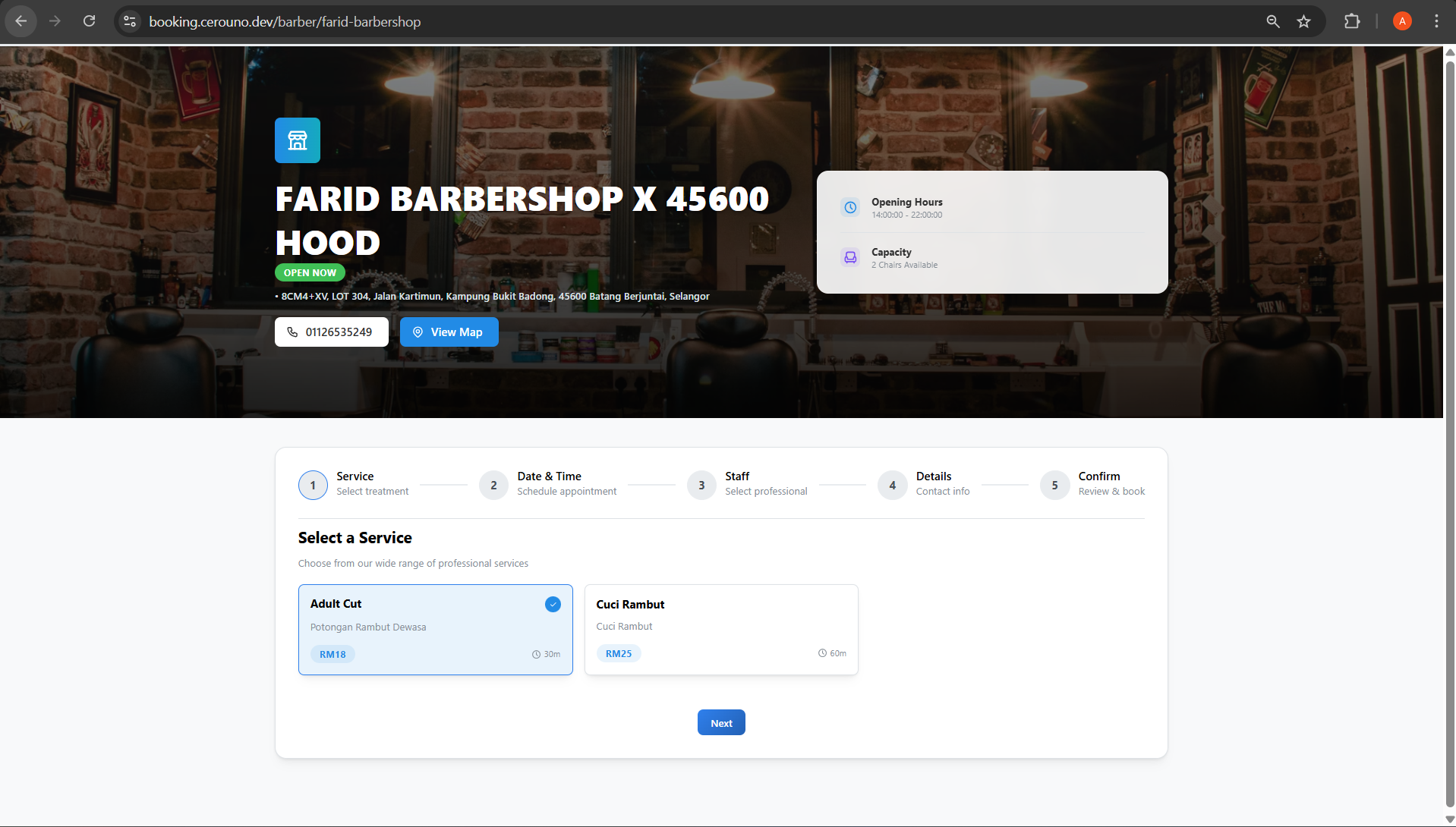
Step 1: Choose Service
Customers start by browsing the available list of services. They click on the specific service they wish to book to proceed.
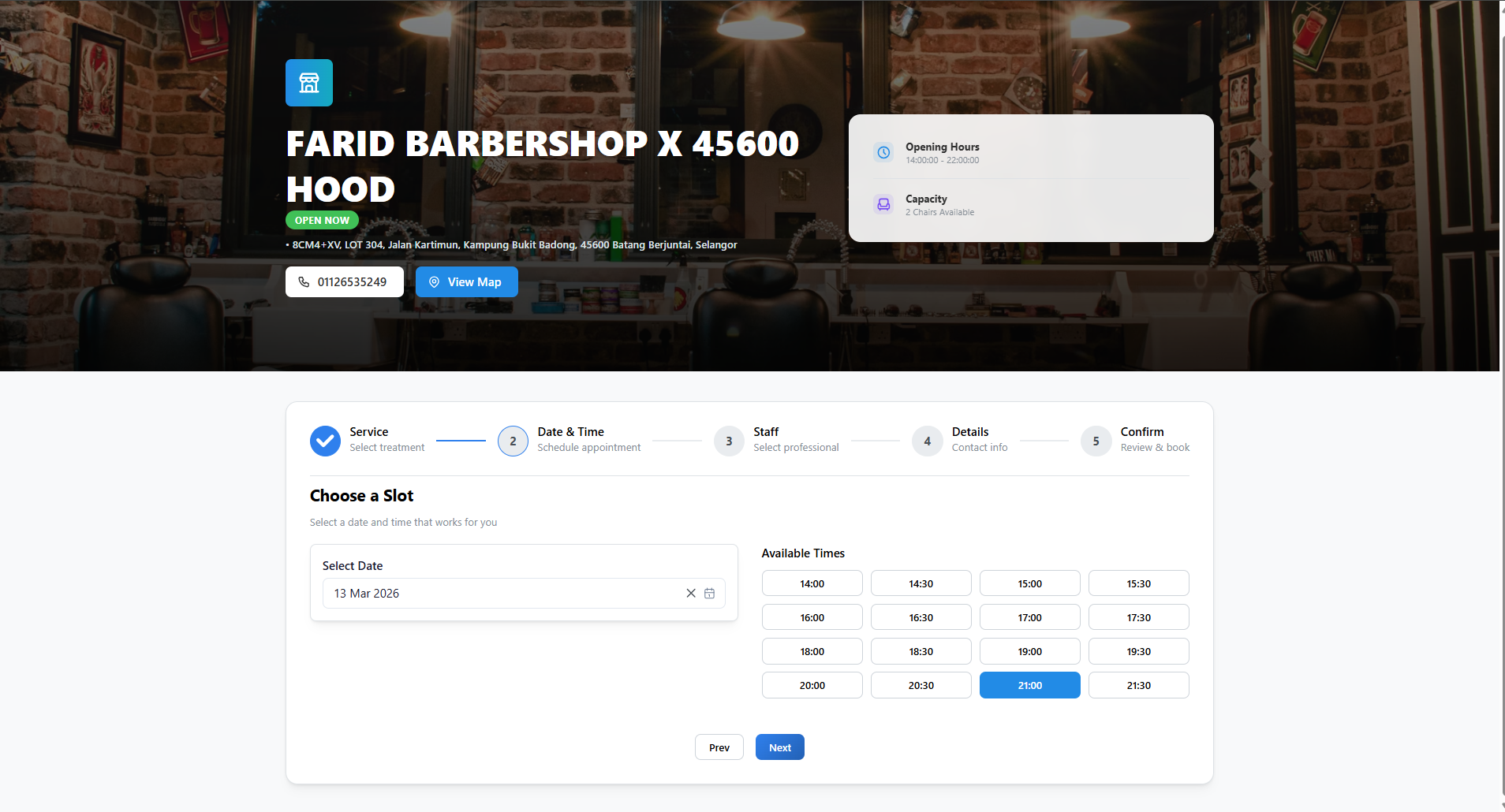
Step 2: Choose Time
Customers are presented with a calendar to choose an available date. After selecting a date, they must pick an available time slot for their appointment.
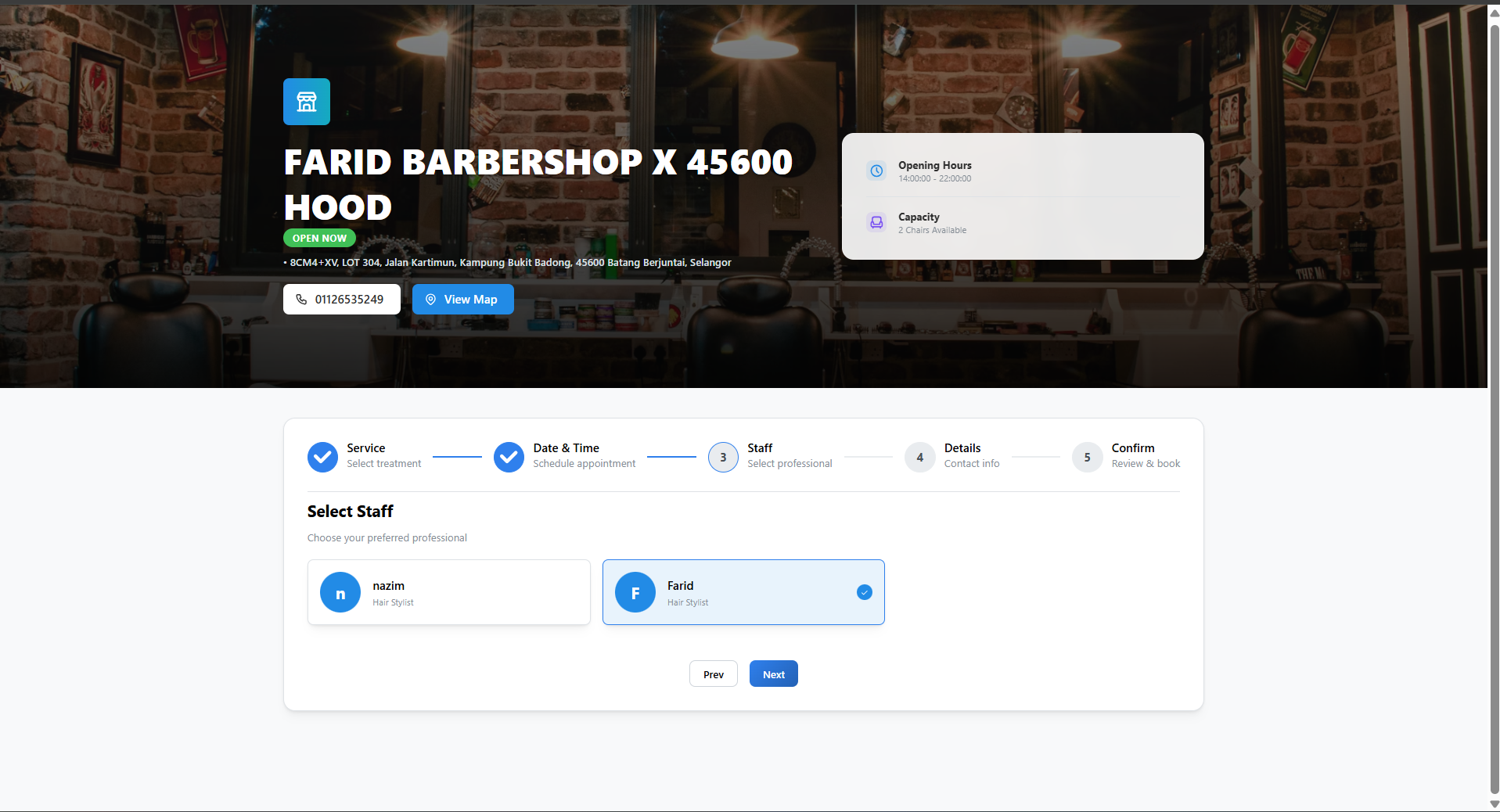
Step 3: Choose Staff/Barber
Customers can select the specific staff member or barber they prefer for their service from the list of available professionals.
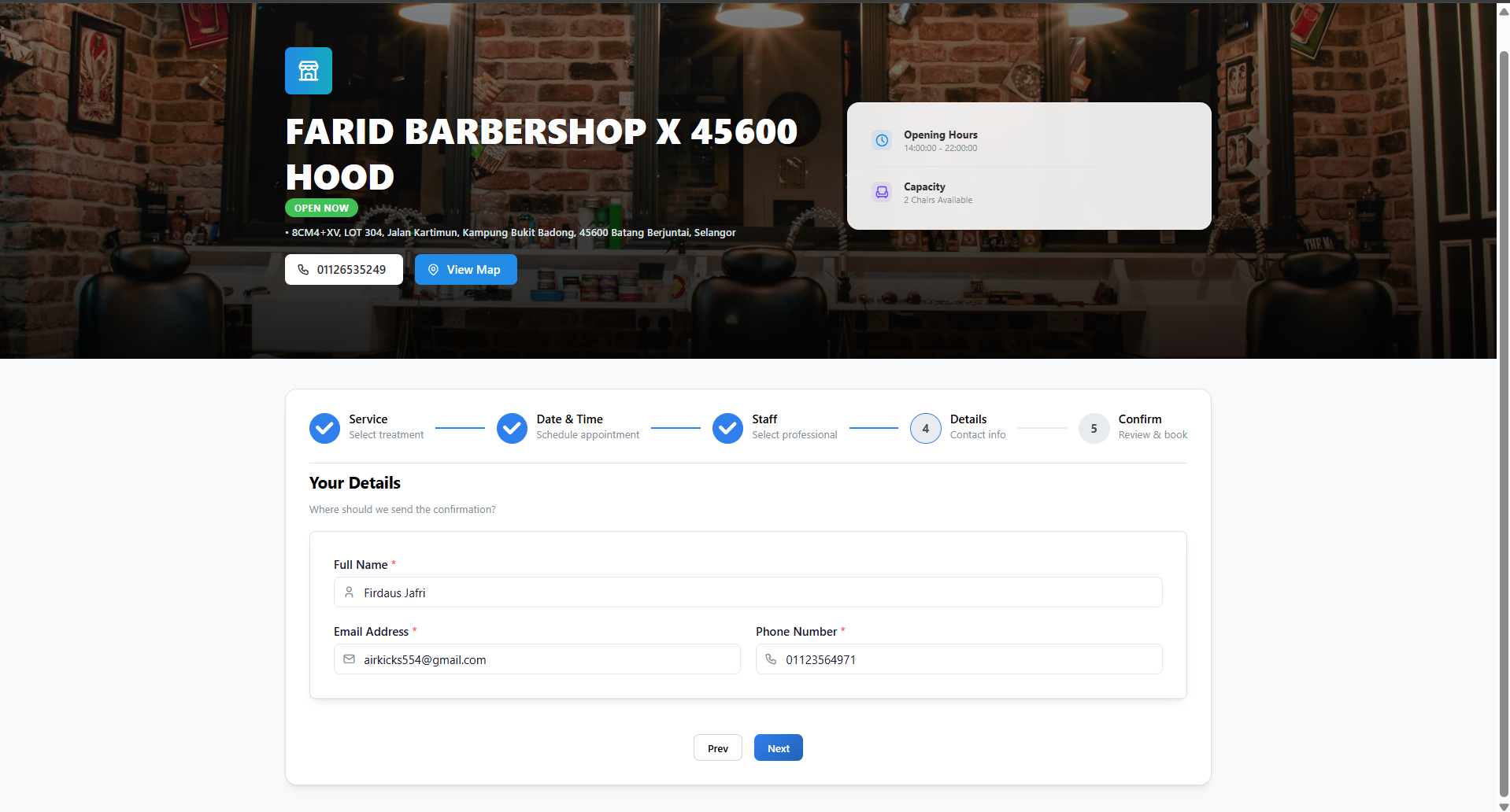
Step 4: Customer Information
Customers must fill out their personal details to secure the booking. Expected inputs are: - Name: Full name (e.g., John Doe) - Email: Must be in a valid email format (e.g., [email protected]) - Phone Number: A valid contact number
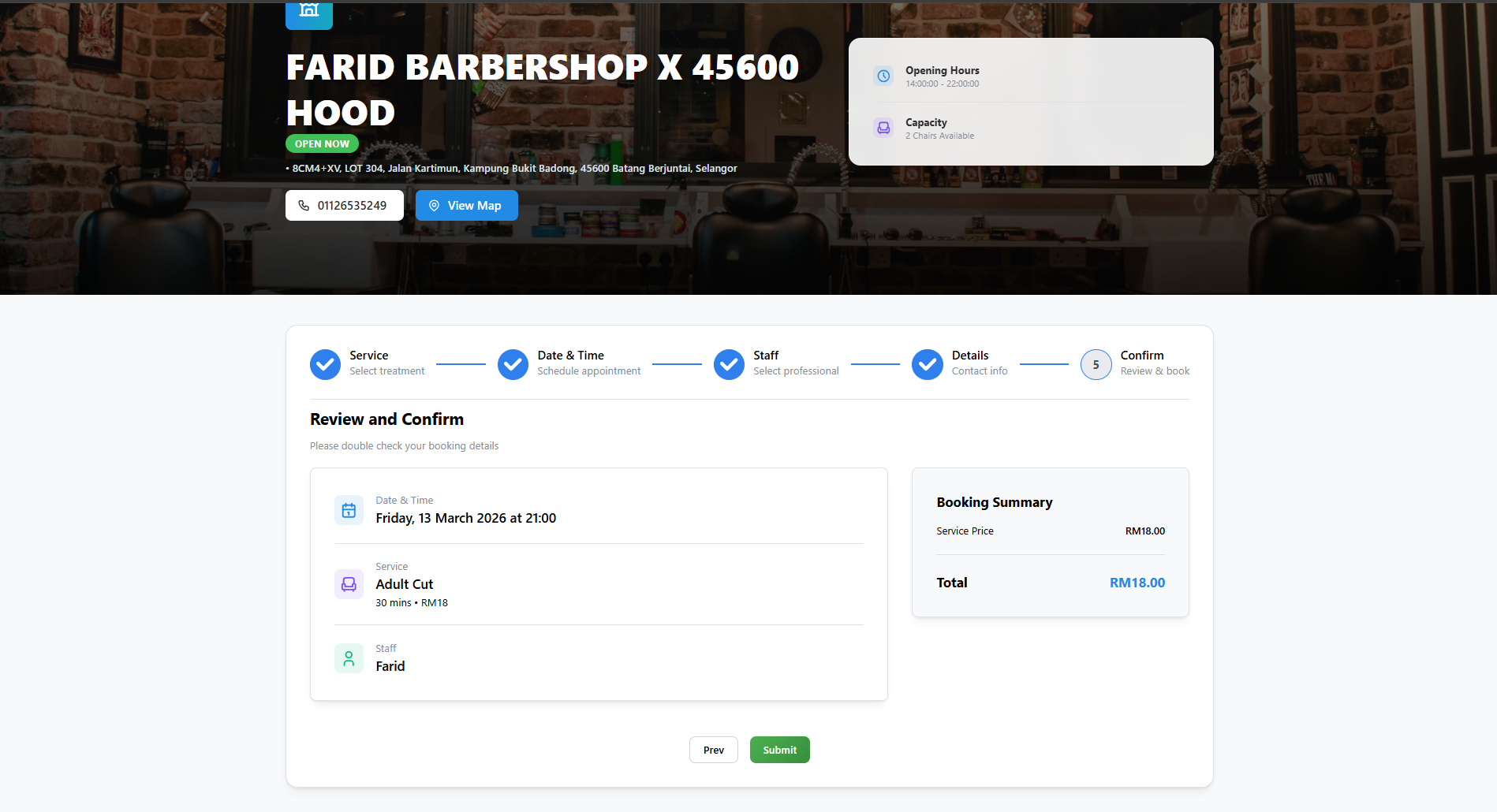
Step 5: Booking Information & Checkout
Customers review their selected service, date, time, staff, and total price. Once everything is verified, they proceed to complete the checkout process.
Step 6: Confirmation Email
Upon successful booking, a confirmation page is shown, and the customer automatically receives an email containing all their appointment details.